Today we are announcing eno 0.7, our biggest release ever. This release features a complete rethink of search that significantly advances our mission to create AI that shows its work.
The concept for eno was born out of the sense that existing AI tools were pulling us away from our source materials. We wanted to spend most of our time reading actual documents, and just rely on AI to help us find the relevant information quickly.
To achieve this, we completely rethought our user interface with one guiding principle: 80% of the screen should be displaying your documents. It seems obvious, but if you look at other AI tools, you will notice that most of the screen is occupied by AI generated text. When you use these tools, you completely offload the cognitive exercise of reading your documents to AI — resulting in a shallow understanding of your materials.
The crux of eno’s new design is the Ask Eno feature. It allows you to ask plain text questions about your documents and get answers. Let’s take a look at the experience.
It starts with a text input that looks a lot like your favourite AI chatbot. What’s different though is you have to supply documents. eno only answers questions from the documents you provide it. This means answers will only be derived from information you trust.
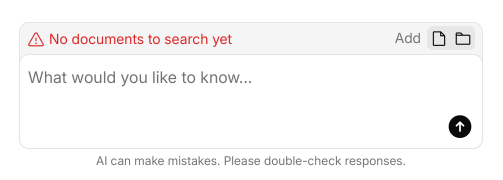
In this case, we added a folder of documents pertaining to a corporation. Because eno is a local desktop application, there is no upload time — it indexes these documents for search in just a few seconds.
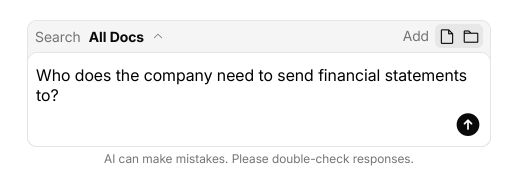
We’ve asked the question “who does the company need to send financial statements to” and now we have our answer screen. Notice that the AI has provided an answer to the question, but visual emphasis is placed on snippets from the documents that the AI relied upon in its analysis.
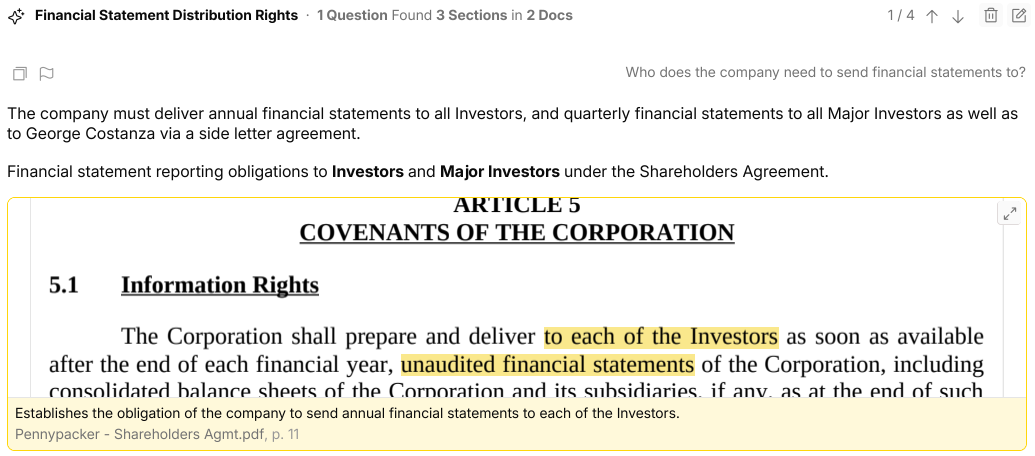
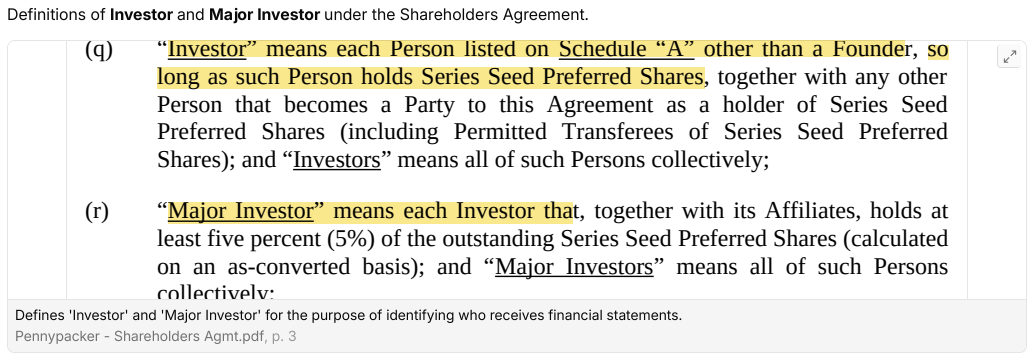
In addition to finding the section that answers the question, eno also pulled the defined terms that are needed to interpret that section.
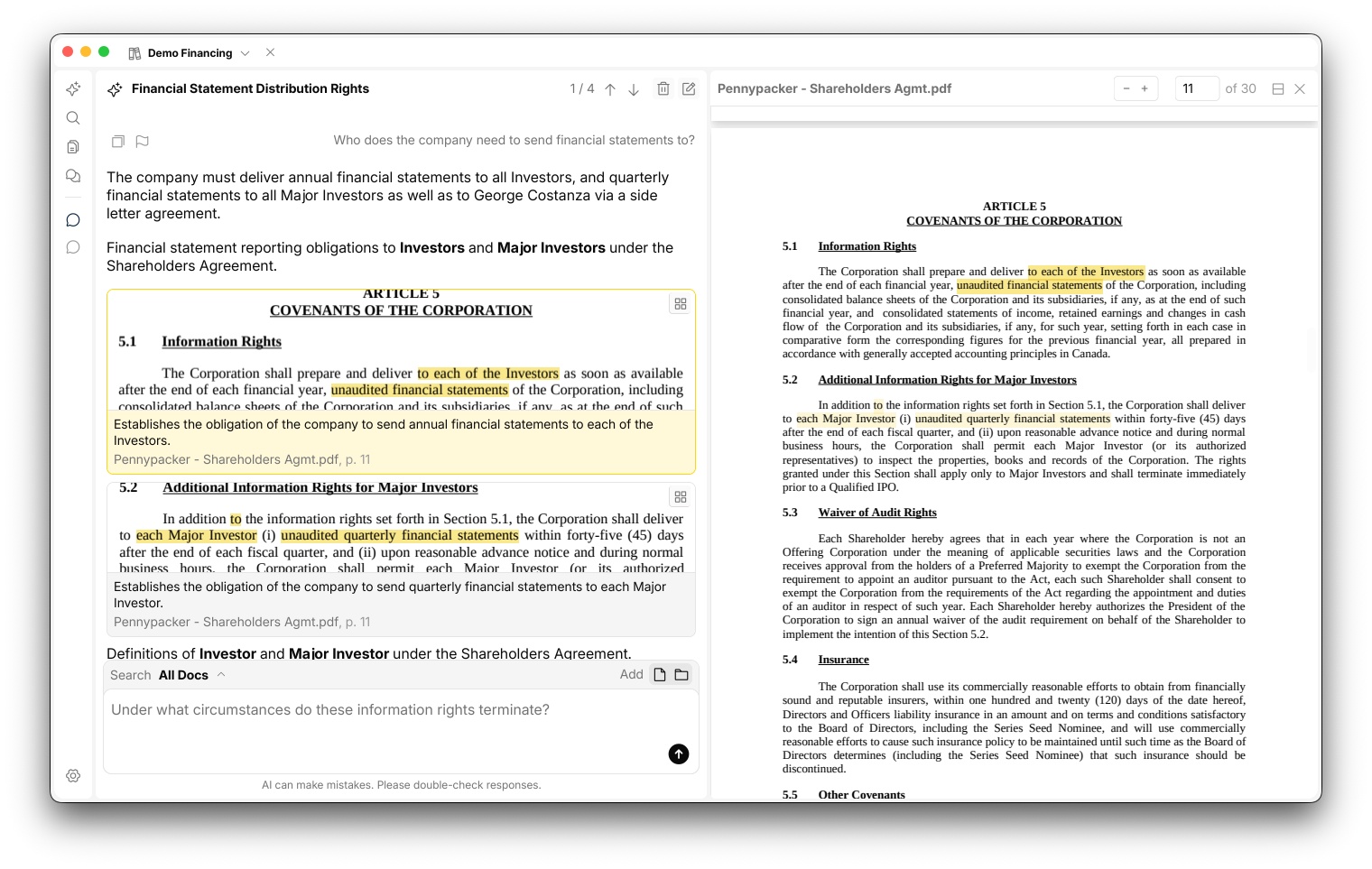
If you want to dig into these snippets, you can expand them to a full viewer and examine them in context. You can even open them into splits to compare sections across multiple documents at once.
We are extremely excited about this release and hope you will give it a try. Visit our downloads page to grab your free copy!
Happy pdfing,
Gordon & Seb